Wisegrid

Wisegrid

3.0

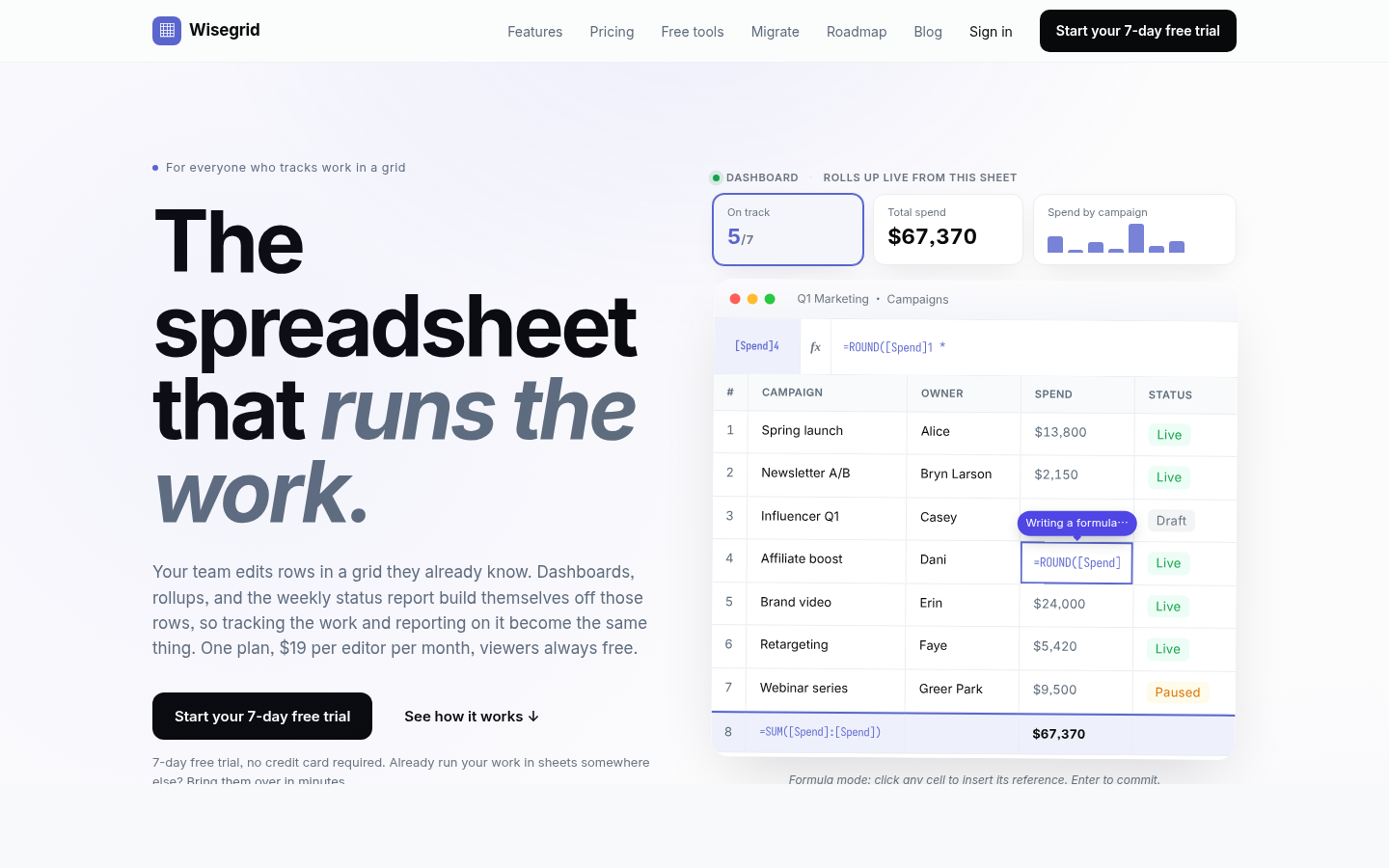
Wisegrid is a spreadsheet-native work management platform for project-driven teams that need more structure without giving up the flexibility of a familiar grid. It combines rows, columns, formulas, hierarchies, and cross-sheet references with dashboards, Gantt, board and calendar views, forms, workflow automation, approvals, resource planning, and real-time reporting. AI-powered formulas also help teams classify information, extract key details, and summarize project data directly inside the workspace. Wisegrid can be used for project planning, budget tracking, resource allocation, request management, approval workflows, client reporting, and portfolio dashboards. It is especially useful for construction companies, engineering firms, professional services teams, agencies, and other spreadsheet-heavy businesses. The platform also supports reusable project blueprints, API and webhook integrations, Excel and CSV exports, and self-service Smartsheet migration. Wisegrid helps teams reduce manual reporting, standardize recurring processes, improve project visibility, and scale operations without adopting a complex enterprise system.

Last Updated Nov 10, 2026
Wisegrid screenshot

About

Wisegrid is a spreadsheet-centric work management platform built for project-driven teams, offering full project management capabilities while preserving the familiar grid-based workflow. It combines rows, columns, formulas, hierarchies, and cross-sheet references with dashboards, Gantt charts, kanban boards, calendars, forms, automated workflows, approvals, resource planning, and real-time reporting, enabling teams to handle everything from planning and tracking to reporting directly within the spreadsheet. The platform also includes built-in AI formulas that can automatically categorize information, extract key fields, and summarize project data.

Key Features

Spreadsheet-style project management: Organize tasks in rows and columns, with support for formulas, cross-sheet references, and multi-level hierarchies.
Visual views: Dashboards, Gantt charts, Kanban boards, and calendar views that aggregate row data in real time.
Forms and automation: Multi-page forms collect data that automatically lands as new rows, with support for notifications, assignments, moving rows, and multi-step approvals.
Reports and resource planning: Group and aggregate data across sheets into real-time reports, with resource allocation and budget tracking.
AI formulas: Automatically categorize information, extract key details, and summarize project data.
Fine-grained permissions: Private by default, with sharing options scoped to projects, sheets, or individual data.

Pricing & Fees

  • Pricing: One plan at $19 per editor per month; all features included, no pricier tiers. Renewal cost is simply editors × $19, with no true-ups or per-viewer charges.
  • Free viewers: View-only collaborators are always free and are never auto-converted into paid seats, so you only pay for people who edit.
  • Free trial: 7-day free trial with no credit card required; cancel anytime before it ends and you owe nothing.
  • Plan limits: Up to 1,000,000 cells, 40,000 rows, and 600 columns per sheet, with unlimited sheets, 500 cross-sheet references per sheet, 100 GB attachment storage, and 119 Excel-compatible functions. Includes $5/month AI-in-formulas credit.
  • Included features: Gantt, automations, dashboards, a self-serve Smartsheet importer, and Enterprise SSO and MFA are all included in the single plan, with no seat minimum.

Who It's For

Ideal for project-driven teams, operations and marketing departments, and any team accustomed to managing work in spreadsheets—teams that want the flexibility of a spreadsheet along with formal management capabilities like dashboards, approvals, and automation.

More

Key Advantages

  • The spreadsheet is the single source of truth: all views, reports, and status pages are generated in real time from the same row data, combining tracking and reporting into one.
  • Low learning curve: teams keep working with the familiar grid interface, with no need to relearn complex project management tools.
  • Easy migration: supports quick migration from other spreadsheet tools, with imports completed in just a few minutes.
  • Transparent pricing: $19 per editor per month, free for guests, with a 7-day trial that requires no credit card.