
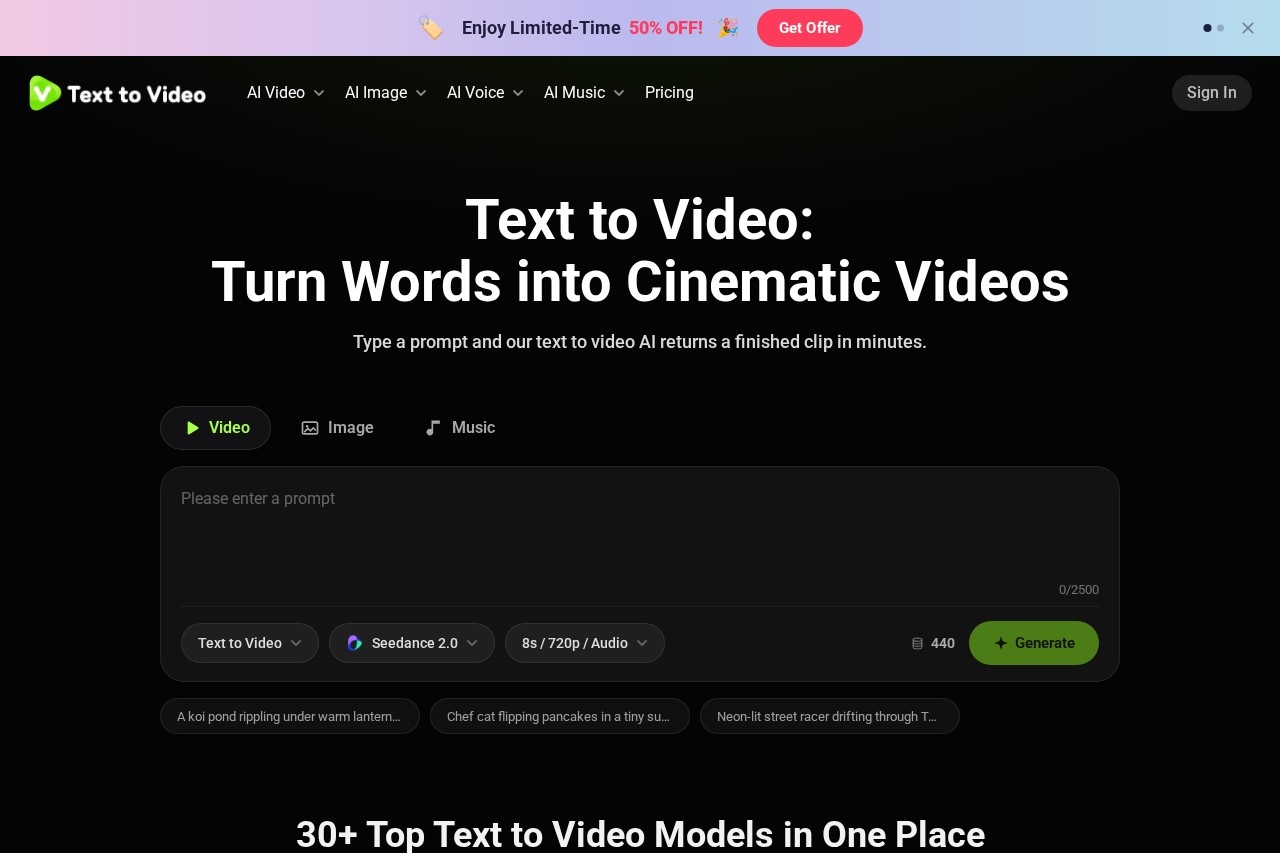
TextToVideo AI is a web-based text to video generator that turns written prompts into HD video clips using 30+ AI models, with image, voice, and music tools included.
About
TextToVideo AI is an online text to video generator that converts written prompts into finished video clips. Instead of shooting footage or editing timelines, a user types a description of a scene and the platform produces a shareable clip, typically within minutes.
The service, available at texttovideo.com, is a multi-model studio: rather than offering a single AI engine, it aggregates more than 30 video generation models — including Seedance, Kling AI, Veo 3, Sora 2, Runway, Hailuo AI, Pika AI, PixVerse AI, Vidu AI, Luma AI, Wan AI, and Hunyuan — so users can pick the model that matches their style and budget. Beyond text to video, the same workspace covers image generation (Midjourney, Flux AI, GPT-4o, DALL-E, Ideogram, Stable Diffusion, and others), image-to-video animation, video-to-video restyling, video transitions, AI avatars, lip sync in 17+ languages, text-to-speech, voice cloning, and AI music. The company states that over 10 million users have registered, and it operates a free tier alongside credit-based subscriptions.
Key Features
Pricing & Fees
- Pricing: Credit-based subscriptions start at Lite ($14.95/month billed annually, $29.90 month-to-month) with 2,000 credits, up to 400 videos, and up to 1,000 images per month; Pro is $29.95/month annually ($59.90 monthly) with 5,000 credits; Max is $69/month annually ($99 monthly) with an adjustable 12,000-credit balance. Credit packs are also offered, and a limited-time 50% discount was advertised on the pricing page.
- Free tier: Free credits are provided to start before any payment.
- Watermarks and commercial use: Paid plans include no-watermark outputs, private content, copy protection, and commercial usage; the FAQ confirms commercial rights are included in the pricing plans.
- Parallel tasks: Lite allows 2 parallel generations, Pro allows 5, and Max allows 10 with a priority queue.
- Platform: Entirely browser-based, with a Chrome extension listed among its tools; the extension holds a 4.9 rating on the Chrome Web Store according to the site.
Who It's For
TextToVideo AI targets creators and professionals who need video without a production crew. Social media creators can batch vertical clips for TikTok, Reels, and Shorts; marketers can script ads and test multiple versions the same day; educators can turn lesson plans into short visual chapters that are easy to update by editing the prompt. It also serves entrepreneurs building pitch or crowdfunding videos, developers producing app demos and documentation walkthroughs, businesses creating onboarding and client-facing content, and indie filmmakers who storyboard or previsualize scenes in words before shooting.
FAQ
What is TextToVideo AI?It is a web-based AI studio that converts written prompts into finished video clips, using a choice of more than 30 third-party and proprietary generation models within a single interface.
Is there a free plan?Yes, the platform offers free credits to get started, with paid subscriptions beginning at $14.95 per month (billed annually) on the Lite plan.
How long does text to video generation take?The site states that a prompt typically returns a finished clip within minutes, with faster generation speeds on higher-tier plans.
Which models can be used?Video models include Seedance, Seedance 2, Kling AI, Veo 3 and 3.1, Sora 2, Runway, Hailuo AI, Pika AI, PixVerse AI, Vidu AI, Luma AI, Wan AI, and Hunyuan; image models include Midjourney, Flux AI, GPT-4o, Imagen, DALL-E, Ideogram, and Stable Diffusion.
Are exports watermark-free and can videos be used commercially?Paid plans produce no-watermark outputs with private content, copy protection, and commercial rights, according to the vendor's pricing and FAQ pages.
Related Tutorials
View all →

Related Tools
View all → AI Studios AI Studios is DeepBrain AI's all-in-one platform for generating avatar-led videos from text, with 2,000+ AI avatars, 150+ languages of dubbing and text-to-speech, and interactive conversational agents.
 Pictory - Best AI Video Generator Pictory enables effortless creation and editing of professional videos from text, requiring no technical skills or downloads.
 Wan 2.5 AI Video Generator Instantly create 1080P cinematic videos from text or images with native audio sync in just 3 minutes.
 Seedance 2.0 - AI Video Generator Seedance 2.0: The ultimate AI video generator. Turn any text into realistic cinematic videos in seconds.
 Free Grok Video Generator - AI Video Creation | No Sign Up Required Grok video generator creates stunning videos from text and images. Fast AI video creation with natural language control. 2 free credits daily, no credit card needed. Try Grok Video now!