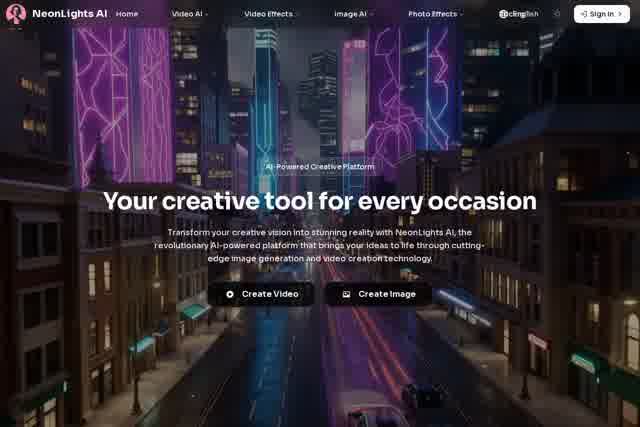
NeonLights AI is a one-stop suite of AI creative tools, covering image, video, and text generation.
Last UpdatedNov 25, 2026
About
NeonLights AI is a browser-based AI image and short video generation platform that brings together multiple image and video generation models in a single interface. Users don't need their own graphics card or any software installation — just open a browser to generate images and videos online. It adopts an "aggregated gateway" product approach, gathering different types of image and video models into one workspace, eliminating the hassle of repeatedly registering, logging in, and switching between multiple platforms. Its core selling point is the low barrier to entry: upload a photo, pick a template, or simply write a prompt, and get results within seconds. Each of the three methods has its own strengths — uploading photos is ideal for turning static images into dynamic content, choosing templates is best for quickly applying ready-made effects, while writing prompts offers greater freedom for customized generation. Even brand-new users with no AI art experience can produce ready-to-use results in a short amount of time.
Key Features
4K Image Generation: Generate images in 4K resolution from text prompts, covering a wide range of styles from realistic portraits to abstract art, suitable for illustrations, asset creation, concept exploration, and more; also supports image-to-image transformation, enabling re-creation and iteration based on existing images;
Short Video Generation: Generate video clips up to about 12 seconds long—enough to cover short dynamic content on social media as well as clip material for presentations—ideal for quickly producing publishable short videos;
AI Video Effects: Upload a photo and apply ready-made effect templates to create dynamic videos, with no prompt writing required. It's one of the easiest features to get started with on the platform, especially for users who want to turn photos into dynamic content but aren't familiar with writing prompts;
Image Upscaling: Offers super-resolution upscaling to enhance generated results to higher clarity, so even small images can be used in settings that demand sharper display;
Model Reviews and Usage Guides: The platform compiles comparisons and usage guides for various image/video models, letting you learn about different models' stylistic tendencies and strengths before generating, making selection easier.
Who It's For
NeonLights AI is ideal for creators who don't want the hassle of local deployment and need to quickly produce social media images and short videos—whether for daily account content updates or preparing clips for presentations, everything can be done in one place right in the browser. It's also well-suited for curious users who want to compare the output of multiple models before committing to a paid plan: by first exploring the platform's reviews and comparison content to understand each model's stylistic differences, then generating in batches, you can effectively reduce the cost of blind trial and error. It's worth noting that for professional designers who need fine-grained control over generation parameters, aggregator platforms may offer less granular control than directly using the underlying model APIs; if your workflow relies on precise parameter tuning, we recommend trying it out first to confirm it meets your needs, or treating it as a supplementary tool for quickly producing drafts and inspiration.
More
Key Advantages
Pricing: Offers three annual subscription tiers: Starter at $115/year (approx. $9.6/month) with 1,200 credits per month; Pro at $278/year (approx. $23.2/month) with 5,000 credits per month; Team/Studio at $950/year (approx. $79.2/month) with 20,000 credits per month.
Free Plan: The website offers a "Start for Free" option for image and video generation features.
Credit Packs: Supports one-time credit pack purchases — Starter Pack at $14 with 700 credits, Creator Pack at $45 with 2,500 credits, Professional Pack at $120 with 7,500 credits — and these credits never expire.
Billing Notes: Subscription credits reset every 30 days, and unused credits expire at the end of each cycle; annual billing saves 20% compared to monthly billing. Subscription fees already paid are non-refundable, and credit packs are also non-refundable.
Plan Differences: Starter only supports 720p video generation; Pro upgrades to up to 1080p resolution, watermark-free output, faster generation speeds, commercial licensing, and future image generation features; Team/Studio additionally includes batch generation, high-priority queue, and early access to new models.
Reviews (0)
3.0 out of 5
Would you recommend NeonLights AI? Leave a comment