
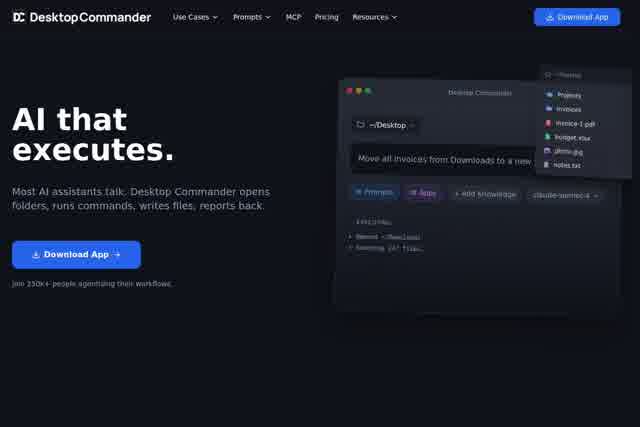
Desktop Commander reads your files, runs commands, and automates workflows - all in natural language.
About
In today's increasingly complex digital workplace, tedious file operations, repetitive command inputs, and multi-step workflows often consume significant time and energy. Desktop Commander was built to solve exactly this problem—it is a revolutionary desktop automation tool that lets you control your computer using natural language, without writing a single line of script. Whether you need to read local files, execute system commands, or orchestrate automated workflows, Desktop Commander accurately understands your intent and executes immediately, delivering a true "say it and it's done" intelligent desktop management experience.
Key Features
Pricing & Fees
- Pricing: A Free plan ($0/month) includes 10,000 tool calls per month, while Pro costs $20/month with unlimited tool calls and priority support.
- Free tier: The free plan covers connecting your first device and works with ChatGPT, Claude, and any MCP client, with community support.
- Open-source local option: The local MCP server is free and open source, with no account required and no monthly limit, running entirely on your own machine.
- Platform availability: Works with ChatGPT, Claude, Codex, Cursor, VS Code, Windsurf, and any other MCP client, on your computer or a server you own.
- Billing flexibility: You can start free and upgrade when you outgrow the plan, and subscriptions can be cancelled at any time.
Who It's For
Office workers can quickly organize documents, batch-process spreadsheets, and automate email replies to boost daily productivity. Developers and tech enthusiasts can rapidly execute test commands, manage code repositories, and automate deployment pipelines to cut down on repetitive work. Designers and content creators can batch-convert file formats, auto-organize asset libraries, and publish content with one click—freeing up time for creative work. Everyday computer users can easily handle system maintenance, file archiving, and software installation without wading through endless menu clicks.
Related Tutorials
View all →

Related Tools
View all → Immersive Translate Immersive Translate offers bilingual web page translation and PDF translation. Enhance your reading experience with seamless language support.
 ChatPPT_AI Generate high-quality PPT presentations through AI chat.
 Presenton - AI Presentation Maker Create stunning presentations with AI, supporting PPTX export and more.
 OpenDataLoader PDF - Convert PDF to LLM-Ready Data Transform PDFs into Markdown or JSON for LLM use. 100% local, open-source under Apache-2.0.
 TreeMind TreeMind leverages AI to create dynamic mind maps, making idea visualization simple and effective.