
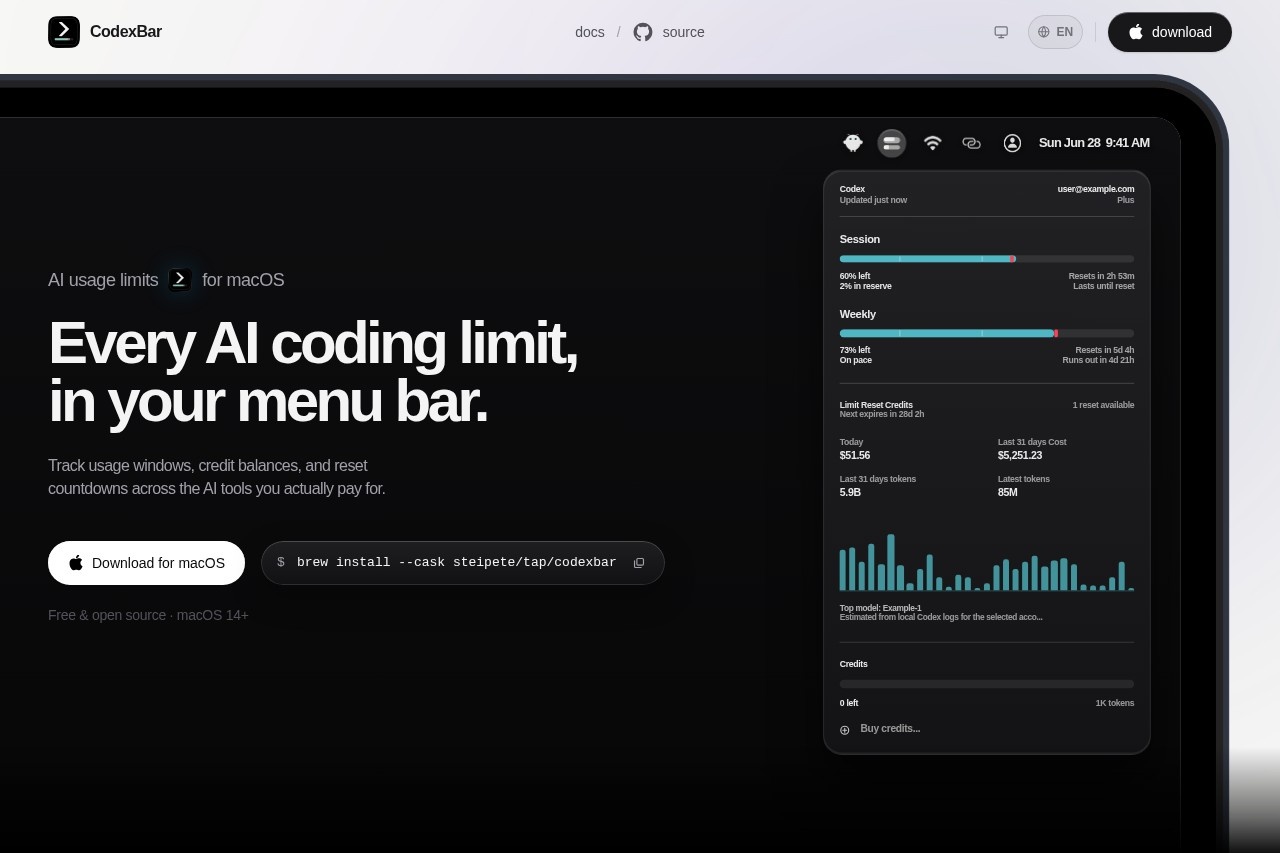
Track all your AI coding limits across 56+ AI tools directly from your macOS menu bar. Supports Codex, OpenAI, Claude, and more.
About
As AI development and creation become increasingly common, developers and teams often use multiple AI platforms at once—OpenAI, Anthropic Claude, Codex, Google Gemini, and more. Each platform has its own quotas, credits, billing rules, and reset cycles. Tracking them manually is tedious and can easily lead to unexpected charges when you go over your limit. CodexBar was built to solve this exact problem: a macOS menu bar app that gives you real-time visibility into all your AI coding services at a glance. Whether you're an independent developer, an AI startup founder, or part of a corporate engineering team, CodexBar brings scattered quota information from multiple dashboards into a single view at the top of your screen—so you always know how much you have left, how much you've spent, and when it resets.
Key Features
Pricing & Fees
- Pricing: Free and open source, with no paid plans or subscription tiers. Install via download or Homebrew (`brew install --cask steipete/tap/codexbar`).
- Free tier: The entire app is free; all features, including usage tracking across 106 providers, are available at no cost.
- Platform availability: Requires macOS 14 or later; no Windows or Linux version is offered.
- Credential handling: API keys are encrypted and stored locally, and the app only reads usage data — it does not upload or cache your code or conversations.
Who It's For
AI application developers who call multiple LLM APIs for testing, comparison, or integration and need real-time visibility into account quotas to prevent production outages. Independent creators and freelancers who use AI for coding, writing, or design and want to keep multi-platform costs within budget. Small to mid-sized technical teams that need to centrally manage shared API accounts and monitor overall usage and spending to avoid one member's overage affecting the whole group. AI educators and researchers who frequently experiment with different models' performance and costs and want historical data to support decisions. And really, anyone on macOS who relies heavily on AI tools—if you use two or more AI services, CodexBar will noticeably improve your efficiency.
Related Tutorials
View all →

Related Tools
View all → DeepSeek V4.1 Flash DeepSeek V4.1 Flash is DeepSeek's new-generation flagship: a 552B MoE with an asymmetric CED architecture offering native vision, 1M-token context and V4-Pro-beating performance at lower cost.
 AGENTMEMORY - Persistent Memory for AI Coding Agents The memory layer for coding agents with 95.2% retrieval R@5, 92% fewer tokens, and no external databases.
 Master Claude Code in a Weekend - How-To Guide A comprehensive guide to mastering Claude Code.
 Cmux - Terminal Built for Multitasking A terminal built for multitasking, integrating with Ghostty, macOS, Claude Code, Codex, and CLI tools via Socket API.
 Kiro: Agentic AI Development Kiro enables agentic AI development from prototype to production, with an IDE that streamlines the entire workflow.