
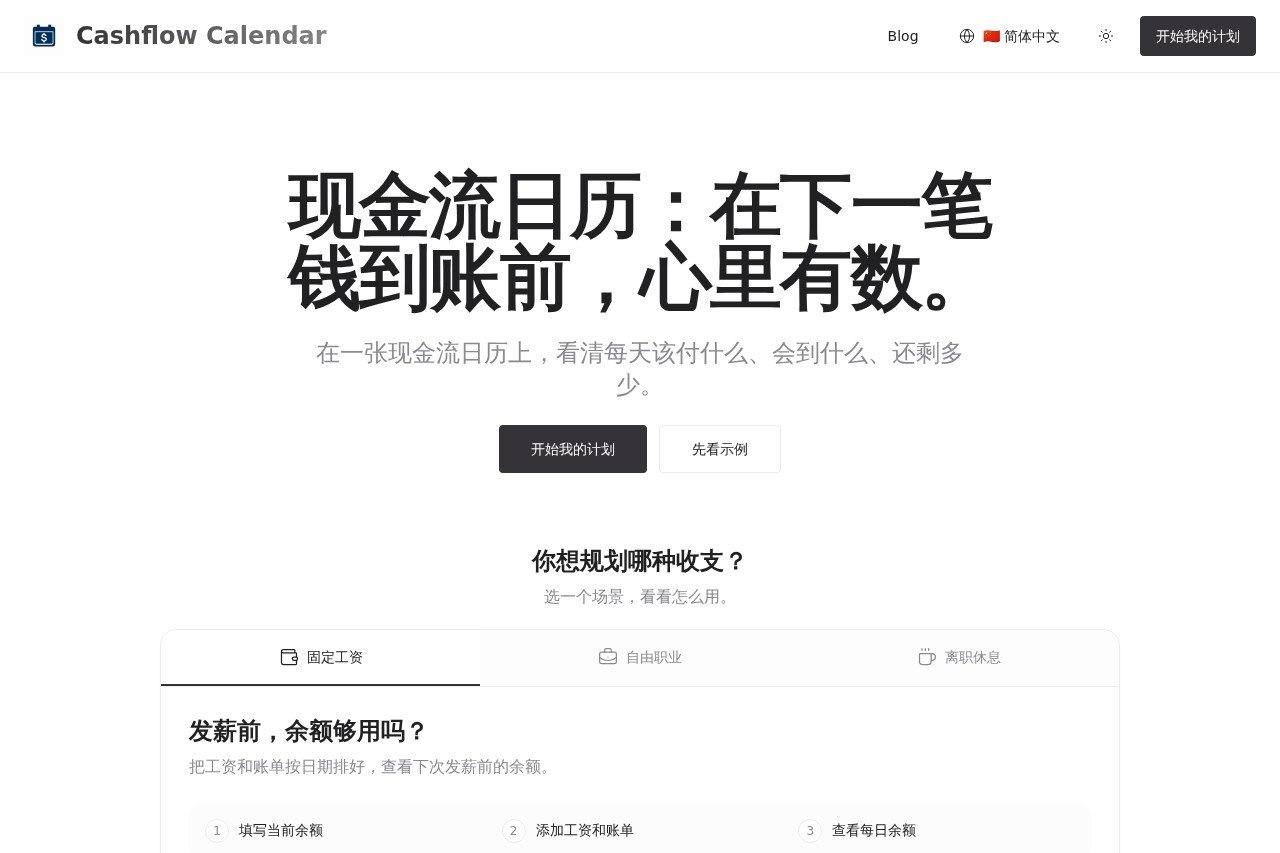
A calendar-based cash flow forecasting tool that helps freelancers, salaried employees, and career-breakers track income, bills, and recurring plans to see their projected daily balance before the next paycheck arrives.
About
Cashflow Calendar is a personal cash flow planning tool that shows income and expenses on a calendar so users can see exactly how much money remains before their next deposit arrives. Instead of tracking what was already spent, it forecasts forward: users enter their current balance, add expected income and bills with dates, and the tool computes a projected daily balance across the coming weeks. This addresses a common problem for people with irregular income — a late client payment or an upcoming bill can quietly drain an account, and a calendar view makes those gaps visible before they happen.
The product is aimed primarily at freelancers and independent workers, though it also covers fixed-salary budgeting and planning a period without work. It is available in eight languages, including English, Simplified and Traditional Chinese, Japanese, Korean, Italian, German, and Spanish. It runs entirely on manual entry or CSV import; it does not connect to bank or payment accounts, which the vendor presents as a privacy-first design choice. A free tier is offered, and a paid Pro tier adds extra capabilities.
Key Features
Pricing & Fees
- Pricing: Not publicly listed on the pages we reviewed; check the official site for current plans.
- Free tier: The vendor states the product is free forever at the base tier, with Pro adding multiple workspaces, an AI financial assistant, and an unlimited forecasting horizon.
- Privacy approach: The tool does not sync with banks or payment providers; all data comes from manual entry or CSV import, which limits exposure of account credentials.
- Languages: The interface is available in eight languages, including English, both Simplified and Traditional Chinese, Japanese, Korean, Italian, German, and Spanish.
- Sign-in options: Users can create an account with email or through Google sign-in.
Who It's For
Cashflow Calendar is built for people whose income does not arrive on a perfectly predictable schedule. Freelancers and independent contractors can log expected client payments and see how a late invoice affects their balance. Salaried employees can check whether their balance will hold until the next payday after stacking up bills. People taking a break between jobs can plan living costs, travel, and a job-search buffer against their savings. Households and side-business owners who keep separate books will find the Pro tier's multiple workspaces useful for dividing personal and business finances.
FAQ
What is Cashflow Calendar?It is a calendar-based cash flow forecasting tool that shows projected daily balances by combining current balances with dated income and expense entries, helping users see when money will run low.
Is Cashflow Calendar free to use?Yes, the vendor states the product is free forever at the base tier, while a paid Pro tier adds multiple workspaces, an AI financial assistant, and unlimited forecast length.
Does Cashflow Calendar connect to my bank account?No, it does not sync with banks or payment providers; users record entries manually or import and export data via CSV, which the vendor describes as a privacy-first approach.
Who is Cashflow Calendar designed for?It targets freelancers and independent workers with irregular income, along with salaried employees checking pre-payday balances and people planning a career break on savings.
What does the Pro tier include?Pro supports multiple separate workbooks for personal, family, and side-business finances, an AI financial assistant, and an unlimited forecasting horizon, according to the vendor's site.
Related Tutorials
View all →

Related Tools
View all → LLMQuant Data - Financial Knowledge Base LLMQuant is a knowledge base and quantitative data platform for AI-native financial research.
 K-Dense Web | Research. Analyze. Synthesize. K-Dense Web is an AI agent that autonomously executes complex tasks across science, engineering, healthcare, finance, and beyond. From question to insight, problem to solution.
 Origin Origin is an all-in-one personal finance platform that combines budgeting, spending tracking, investing, and an AI financial advisor in a single app.
 Syft Analytics Syft Analytics is a financial reporting platform for businesses, accountants and non-profits, offering dashboards, consolidations, forecasts and reports.
 Nume Nume is an AI CFO for businesses of 1-100 people that builds budgets, forecasts cash and runway, reviews books, consolidates entities, and reports proactively in Slack.