
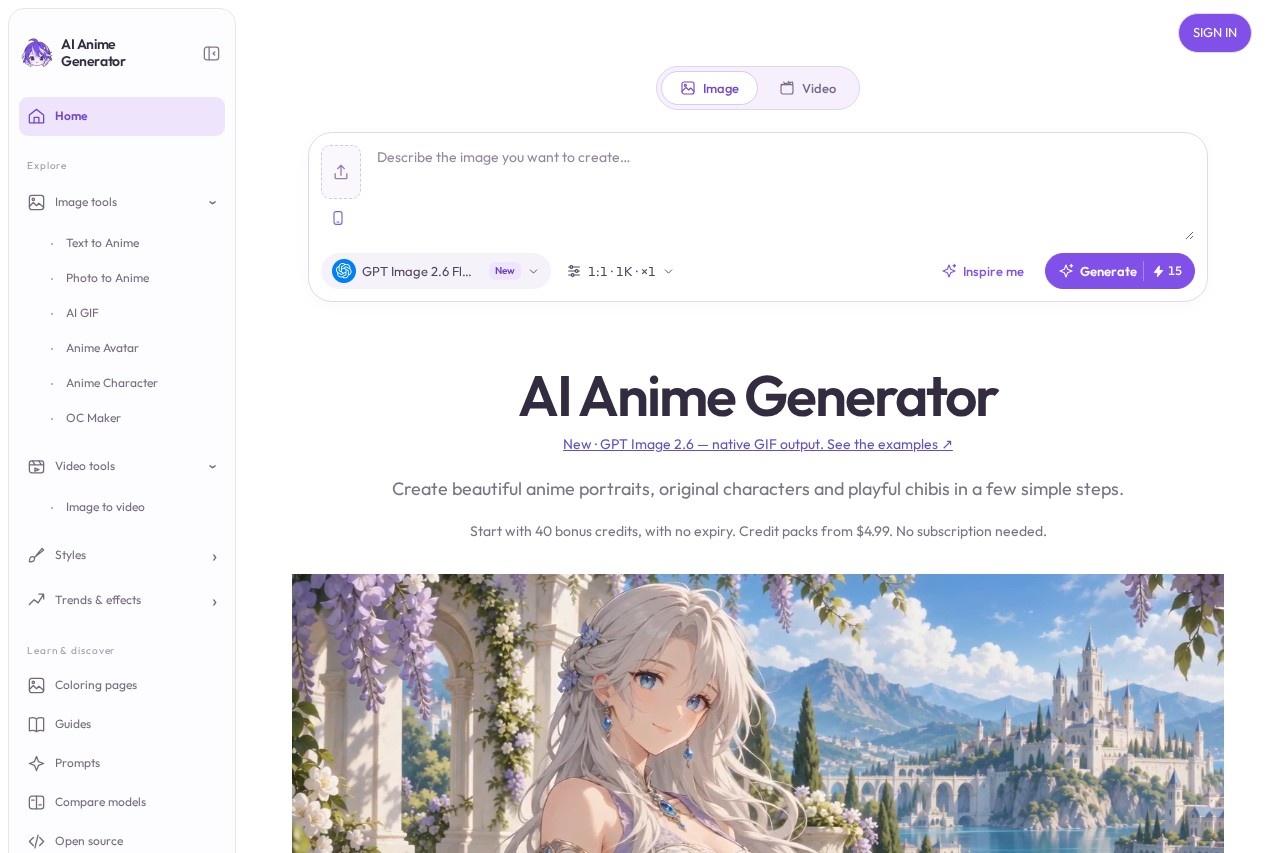
AI Anime Generator turns text descriptions or uploaded photos into anime-style portraits, characters and short videos, with multiple models, prompt templates and pay-as-you-go credits.
About
AI Anime Generator is a browser-based tool at ai-anime-generator.io for creating anime-style images from written prompts or uploaded photos. It addresses a common problem: most people cannot draw anime art themselves, yet they want original portraits, characters, or profile pictures for personal projects and social accounts.
The workflow has three steps — pick a starting point (text or photo), shape the result with a prompt and a chosen art style, then review and save the output. The site offers many generators under one roof, including text-to-anime, photo-to-anime, chibi, waifu, manga, pixel art and avatar tools, plus an image-to-video feature that animates a finished picture into a short MP4. Users sign in with Google, receive bonus credits on signup, and buy one-time credit packs when they need more. The service also maintains a Japanese version with JPY pricing.
Key Features
Pricing & Fees
- Pricing: New accounts receive 40 bonus credits that never expire. One-time credit packs: Starter at US$4.99 for 500 credits, Creator at US$9.99 for 1,500 credits, Pro at US$19.99 for 4,000 credits. Credits per image range by model from 3 (Z-Image) to 45 (Nano Banana Pro).
- No subscription: Purchased credits never expire, packs are one-time purchases, and there is no automatic renewal. Failed or blocked generations return the reserved credits.
- Easy signup: Users sign in with Google; no card is needed to start. Credits are added after payment confirmation.
- Multilingual: A Japanese version of the site is available with JPY pricing and Japanese-language generators.
- Extras: Free resources include coloring pages, prompt guides, a model comparison page, open-source prompt materials, and a browser extension.
Who It's For
The tool suits anime fans who want original portraits or profile pictures, hobbyists designing original characters (OCs), and social media users looking for stylized versions of their photos. VTubers and PNGTuber creators can use the avatar and PNGTuber maker tools, while fan-fiction writers and manga enthusiasts can generate character reference sheets, four-panel manga pages, and scene illustrations. Content creators can extend still images into short videos or dance clips for posts and edits.
FAQ
What is AI Anime Generator?It is a web-based tool that creates anime-style images from text prompts or uploaded photos, with additional features for animating images into short videos.
Is there a free option?Yes — new accounts receive 40 bonus signup credits that never expire, and no card is required to sign up with Google. Some tools, such as the local pixel art converter, are free.
How much does it cost?One-time credit packs start at US$4.99 for 500 credits, with larger packs at US$9.99 and US$19.99; per-image costs vary by model from 3 to 45 credits.
Does it require a subscription?No. All credit packs are one-time purchases, credits never expire, and there is no automatic renewal.
What image formats can be uploaded?Photos in HEIC, JPEG, PNG or WebP formats up to 40 MB are supported, and users should upload only photos they have permission to use.
Related Tutorials
View all →

Related Tools
View all → PixAI PixAI is a free online AI anime art generator where users create anime-style images and videos from text prompts using 1.8M+ community models and LoRAs.
 OpenDream OpenDream is a free online AI art generator that turns text prompts into images in seconds, with templates and multiple models for anime, photorealistic, and logo artwork.
 A1.art - AI Video & Image Generator Create stunning AI-generated videos and images with a1.art. Unleash your creativity with powerful, easy-to-use tools.
 AI OCR Extract text from images and convert to editable Word documents with AI-powered OCR.
 AI Image Editor & Tools - EditAny AI EditAny AI offers powerful AI image editing and tools for all your creative needs.